Established blue tooth connection with Pixel 7 and flew a birds eye and snapshot it shows 16 recordings but can not get Hover to connect to wifi to download or preview

-

I have had the same problem Doug and it is independent of how you take recordings. It isn't a proper answer but I have found that if you move out of range of other wifi networks that your app will lock onto the Hover's net and work perfectly.
0 -

Interesting! I have the same issue but it's rather it to get out of range of any WiFi in town. I'll have to wait until I'm somewhere a bit more remote.
Svegress did your WiFi connection work properly after your first successful link or does it still only work when you're not near any other networks?
0 -
Peter, I'm still nutting out the nature of the fault in comms. The Bluetooth connection is rock solid but the WiFi patchy. It appears to have something to do with WiFi connections that automatically establish a connection with my Pixel 6 Pro. Sometimes, usually with a complete reboot, it works when the automatic connections are available, sometimes not. This is a screenshot of the action.
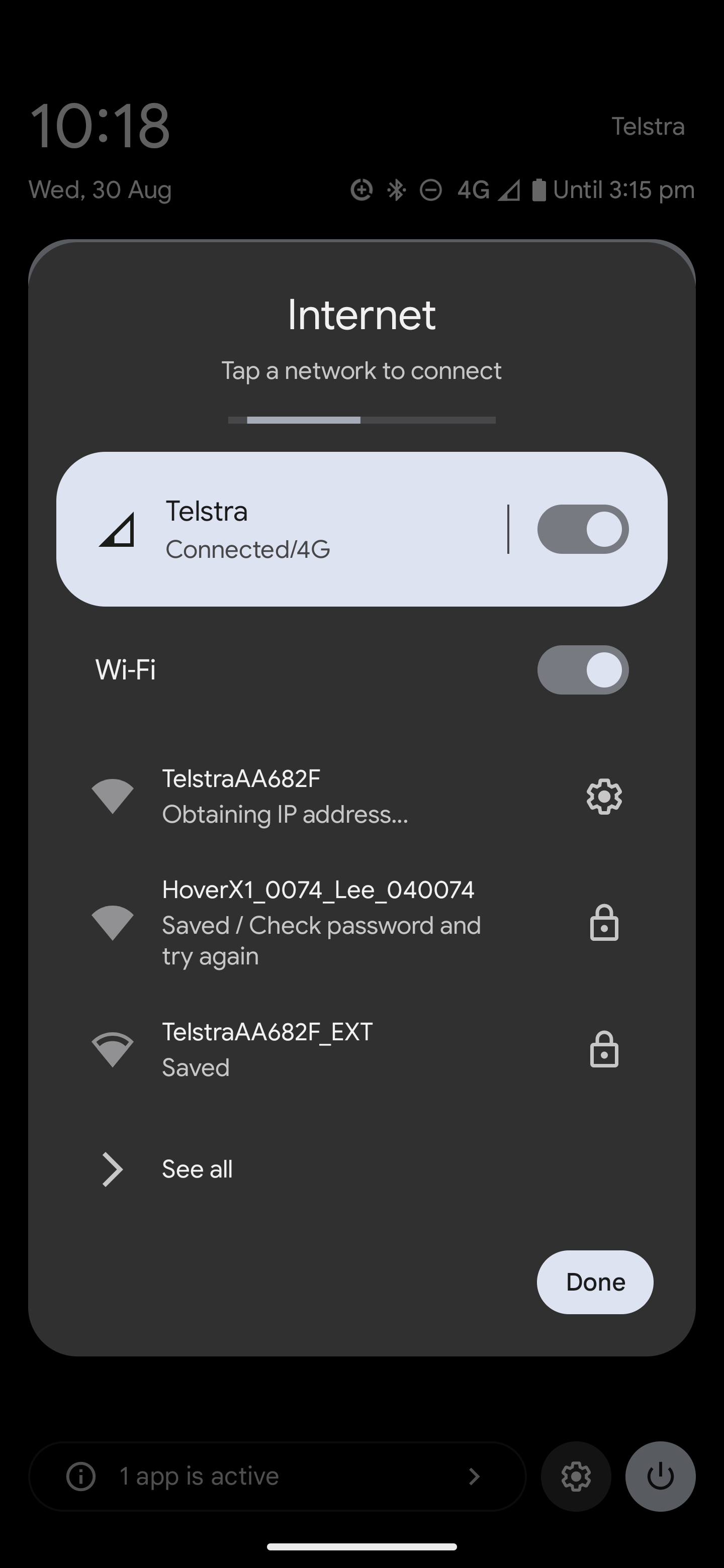
I am currently in a public area where I can get access to a WiFi but have to do a login and the app picked up the HoverX1 wifi instead and, with the little smiley face, showed me what was still to be downloaded.
Can I hasten to add the ZeroZero Support are working on the issue for me. Otherwise, I am entranced by the quality of this product and the speed at which they are doing better explanation and incremental feature improvements. I still have a list of other niggles but want to get this one cleared before bothering them with others.
0 -
Further testing outside the range of my normal automatic connects and found that fresh connections to the WiFi work straight off but if I turn off the HoverX1 and attempt a reconnect it fails. The only way of reconnecting is by a restart of my Pixel 6 Pro.
Good to be narrowing the issue. I have informed the ZeroZero Support team
0 -
Great info, thanks Svegress
0 -
I have finally managed to try the HoverX away from any other WiFi networks. I was still unable to connect via WiFi.
In fact, it looks very much that, unlike yours Svegress, the WiFi in my HoverX is not working at all - the WiFi analyser app on my phone showed absolutely no WiFi signal at all.
0 -
Sadly, still no response from Zero Zero for well over a month.
0 -
Update Pete,
I had it all working properly. It was the Google VPN that was interferring. I simply switched it off.
However, that was on Android 13, today I upgraded to 14 on my 6 Pro and I now have, like you, no comms with the drone at all.
0 -
Still getting nowhere, with no response from Zero Zero.
I think that, in my case, my unit is faulty. I found a spot with no WiFi whatsoever and could still not connect to the phone. I checked with a WiFi analyser app and there were still no signals around even while attempting to connect.
Sigh!
Shame, 'cause I really like the product.
0 -
Now in exactly the same boat. The killer was installing Andoid 14. Initial boilerplated responses from ZeroZero failed to solve the problem. No further response to my careful documentation and screen shots. I feel it it not a hardware issue and more likely to be a programming issue that could be sorted.
Lee.
0 -
Here's hoping!
0 -
UPDATE:
Zero Zero finally managed to get through their backlog and, since then, have been very helpful and responsive. It turns out that the WiFi problem is that my Huawei Mate 10 Pro phone is too old. They sent me a replacement unit which had exactly the same issue but I've just managed to borrow a Samsung A40 (not exactly a new phone either) and it works fine with that.
So, I need a new phone. Well, it's a good excuse to buy a new toy I suppose!
0
請登入寫評論。
評論
12 條評論